On this page
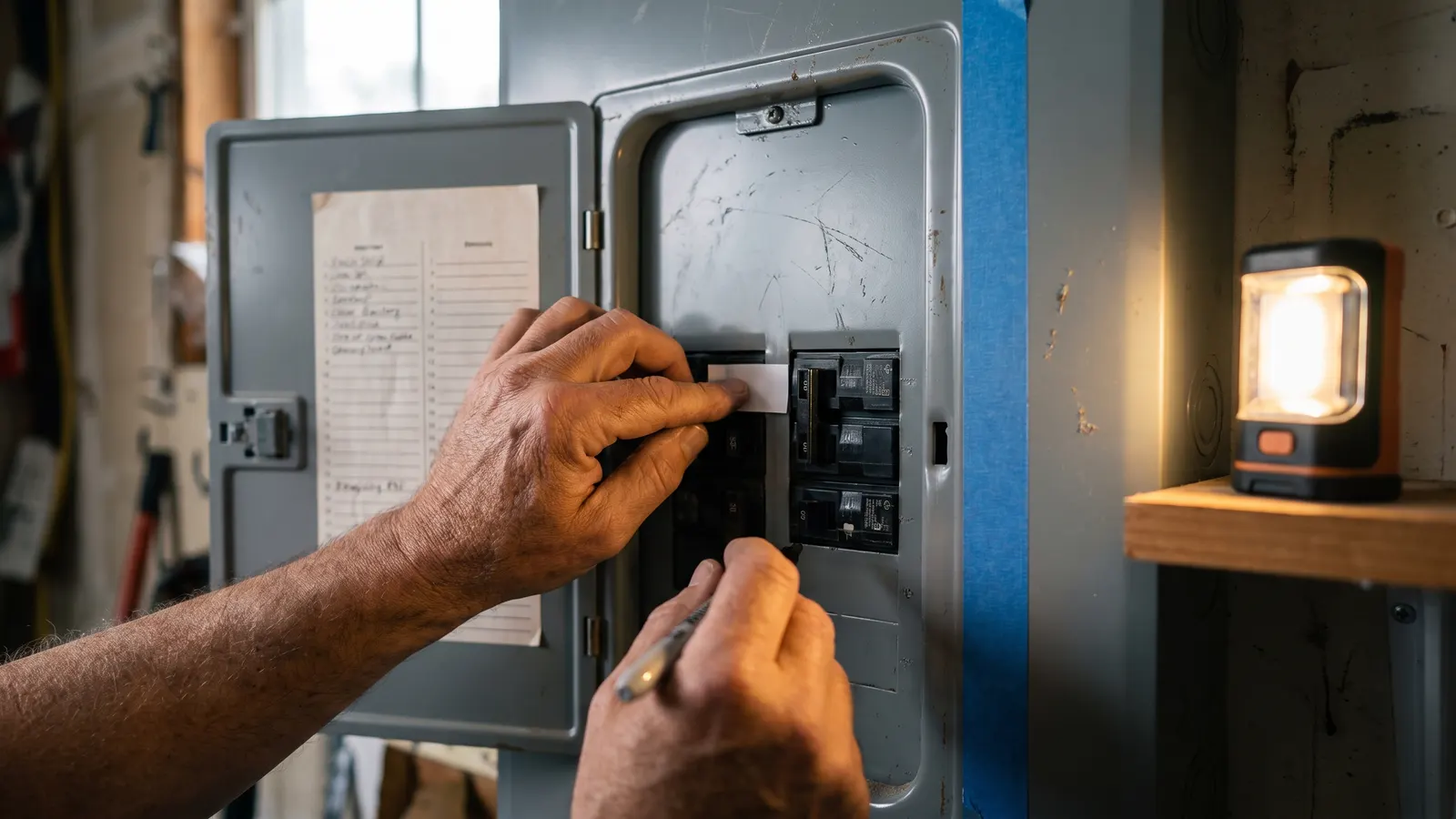
Label your electrical panel by switching off one breaker at a time, having a helper report what went dead, and writing that on the panel directory in words a stranger could follow: "Kitchen counter outlets, east wall", not "Kitchen". Do it once with a helper, correct the builder's labels, then photograph the finished directory and keep it with the house's documents. From then on a tripped breaker, a repair, or an outage takes a minute at the panel instead of a search of the house.
The panel directory is the card or label strip inside the panel door that names the circuit each breaker controls. It is the only map of the wiring you will have without opening walls. In a new build it is filled in at rough-in, often before rooms had names, so "Bed 2" and "Plugs" are normal and a few entries are usually wrong.
Why does a labeled panel matter?
A labeled panel matters because every electrical job in the house starts at it. Resetting a tripped breaker, cutting power to a fixture before you change it, isolating a sparking outlet, or telling an electrician where the problem is all depend on knowing which handle feeds what. Vague labels send you back and forth between the garage and the room in the dark; good labels make the same job one trip.
When should you do it?
Do it once in the first month of owning the house, before you need it, and again whenever an electrician adds or moves a circuit. Pick a daytime hour when nobody is working from home and the computers are shut down, because you will cut power to every circuit in turn. In a new build, do it before the first warranty walkthrough, so mislabeled circuits go on the list while the builder still owns them.
What do you need?
A helper (or a phone on speaker and a loud radio), a plug-in outlet tester or a small lamp, a flashlight, a pencil, and the panel's own directory card or a sheet of blank labels. A circuit tester with a remote receiver finds the breaker for an outlet by itself and saves the walking, but it is optional. Nothing in this job goes behind the dead front.
- A helper, ideally on the phone, standing in the rooms while you flip breakers
- A plug-in outlet tester or a nightlight for outlets, and a flashlight for the panel
- A pencil, plus the directory card that came with the panel or a sheet of adhesive labels
What are the steps?
Number every breaker if the panel has no printed numbers, switch the first one off, have your helper report what died (lights, outlets, appliances, room by room), write it on the directory in specific words, switch it back on, and move to the next. Leave the main breaker alone. When every handle has a label, walk the house once more against the finished list, then photograph it.
- Warn the household and shut down computers. Stand on a dry floor with dry hands and open only the panel door; the flat metal cover behind it stays screwed on.
- Confirm the breakers are numbered; most panels print numbers on the cover, odd on the left and even on the right. If not, number them on a strip of tape beside each handle.
- Send your helper to the room you expect the first breaker to feed, with the lamp plugged in and the lights on.
- Switch breaker one fully Off. Done when: the helper reports exactly what went dark, naming outlets as well as lights, since they are often on different circuits.
- Have the helper check the neighboring rooms and the hallway too; one breaker often feeds parts of two rooms.
- Write the finding on the directory in words a stranger can act on: the room, the wall or fixture, and any appliance. "Primary bath lights and fan" beats "Bath". Done when: the entry names the room and what in it.
- Switch the breaker back On and confirm the helper has power again before moving to the next handle.
- Treat the double-wide handles separately: they feed the range, the dryer, the water heater, the air conditioner, or an EV charger. Switch one off and confirm the matching appliance is dead.
- Mark every GFCI and AFCI breaker (the ones with a Test button) as such, and note which ordinary outlets go dead when a GFCI trips, so the next dead garage outlet is a reset, not a mystery. AFCI breakers need a monthly test of their own.
- If a small box with an indicator light sits in or beside the panel, that is a whole-home surge protector; label its breaker too.
- Repeat for every handle. Anything still powered with every breaker off except the main is a missed circuit; note it for the electrician.
- Walk the house once more against the finished directory and spot-check a few entries, then photograph the directory and the panel face. Done when: the photo is readable and stored with the house's documents.
When should you stop and call a pro?
Stop and call a licensed electrician if the panel is warm, buzzes, smells of hot plastic, or shows scorch marks; if a breaker will not switch off or will not stay on; if something stays live with every breaker off; or if a breaker trips while you are mapping and trips again after one reset. Labeling never involves removing the cover, pulling a breaker, or touching a wire. Anything that requires those is the electrician's job, and in a new build a warranty item.
What should you record?
Record the finished directory as a photo and as a typed list, the panel's brand and model from the label inside the door, where the panel is, and the date. Put the list where the household and any future owner can reach it: on the panel door and in the home record. Note any breakers the builder mislabeled or that behaved oddly; those go into a service request while the home is under warranty.
In Property Station, the panel's location belongs on the Shutoffs & Key Locations page under My Home, and the photo of the directory can be added on the Documents page with "Add Document".
What a good directory entry has
- The room name the household actually uses
- What in the room: lights, outlets, or a named appliance
- Which wall or side, if the room is split across two breakers
- GFCI or AFCI, if the breaker has a Test button
- Anything downstream that goes dead when this one trips
Common questions
Do I have to turn off the main breaker to label the panel?
No. You only operate individual breaker handles and never remove the cover behind the door. Label with the panel door open, the dead front on, and dry hands. If anything about the panel worries you (heat, buzzing, scorch marks), stop and call an electrician instead.
What if the builder already labeled the panel?
Check it anyway. Builder labels are often written at rough-in, before rooms had names, and a few are usually wrong or vague ("bedroom", "outlets"). Test each breaker once and correct what does not match.
Can I label the panel alone?
Yes, with a plug-in tester or a loud radio and some walking, but a helper on the phone makes it take half the time. Alone, put a radio in the room you are testing, or use a circuit tester with a remote receiver.
How do I label the big double breakers?
A double-wide handle (two handles joined by a bar) feeds a heavy load: the range, the dryer, the water heater, the air conditioner, or an EV charger. Label it with the appliance name, and test it by switching the breaker off and confirming the appliance is dead.
What should you do next?
Pick a weekday morning this month, find a helper, and map the panel. Then add a one-time task to the maintenance schedule to re-check the directory after any electrical work, and read the five shutoffs every owner should know; the main breaker is one of them.