On this page
- What do smart devices need that ordinary ones do not?
- What do connected alarms still need?
- What does a smart thermostat need?
- What do leak sensors, locks, cameras, and garage controllers need?
- What should you do at resale or when a device changes hands?
- How do you put smart devices on the schedule?
- Common questions
- What should you do next?
Smart home devices need the same maintenance as the devices they replaced (batteries, a monthly test, cleaning, and replacement on age) plus a layer of their own: software updates, a working Wi-Fi connection, an account that stays yours, and a reset when the device or the house changes hands. A connected smoke alarm is still an alarm with a ten-year sensor. A smart thermostat is still a thermostat with a filter reminder that needs checking. A leak sensor with a dead battery is a plastic disc.
A device that reports its own status every day feels maintained, and the one thing it cannot report is a sensor that has aged past working.
What do smart devices need that ordinary ones do not?
Smart devices add four maintenance items to the ordinary list: firmware and app updates, which fix bugs and close security holes; a Wi-Fi connection and a router, which are now part of the alarm system and the thermostat; accounts and subscriptions, which expire, change hands, and hold the device's history; and a reset and handoff step when the device is sold, replaced, or the house is sold.
| Device | Ordinary maintenance | Connected maintenance |
|---|---|---|
| Smoke and CO alarm | Monthly test, battery, replace on age | Updates, the app's alarm-status check, re-pairing after a router change |
| Thermostat | Filter reminder, schedule review each season | Updates, Wi-Fi, a backup battery on some models, schedule and geofence settings |
| Leak sensor | Battery, a test with a wet finger | Connection, the alert path, the hub if there is one |
| Smart lock | Battery, lubricate the bolt, clean the keypad | Codes for people who no longer need them, updates, re-pairing |
| Camera and doorbell | Lens cleaning, mounting screws, battery on wireless models | Updates, storage or subscription, shared access |
| Garage door controller | The monthly 2x4 reverse test, sensor alignment | Updates, the app's open-and-close status, the door-open alert |
| The router | Nothing | Updates, a restart, a password that is not the default, placement |
The router is a home system now. If it is down, the alarms still sound and the thermostat still runs on its last settings, but nothing reaches your phone. Put the router's restart and update on the same schedule as the devices that depend on it.
What do connected alarms still need?
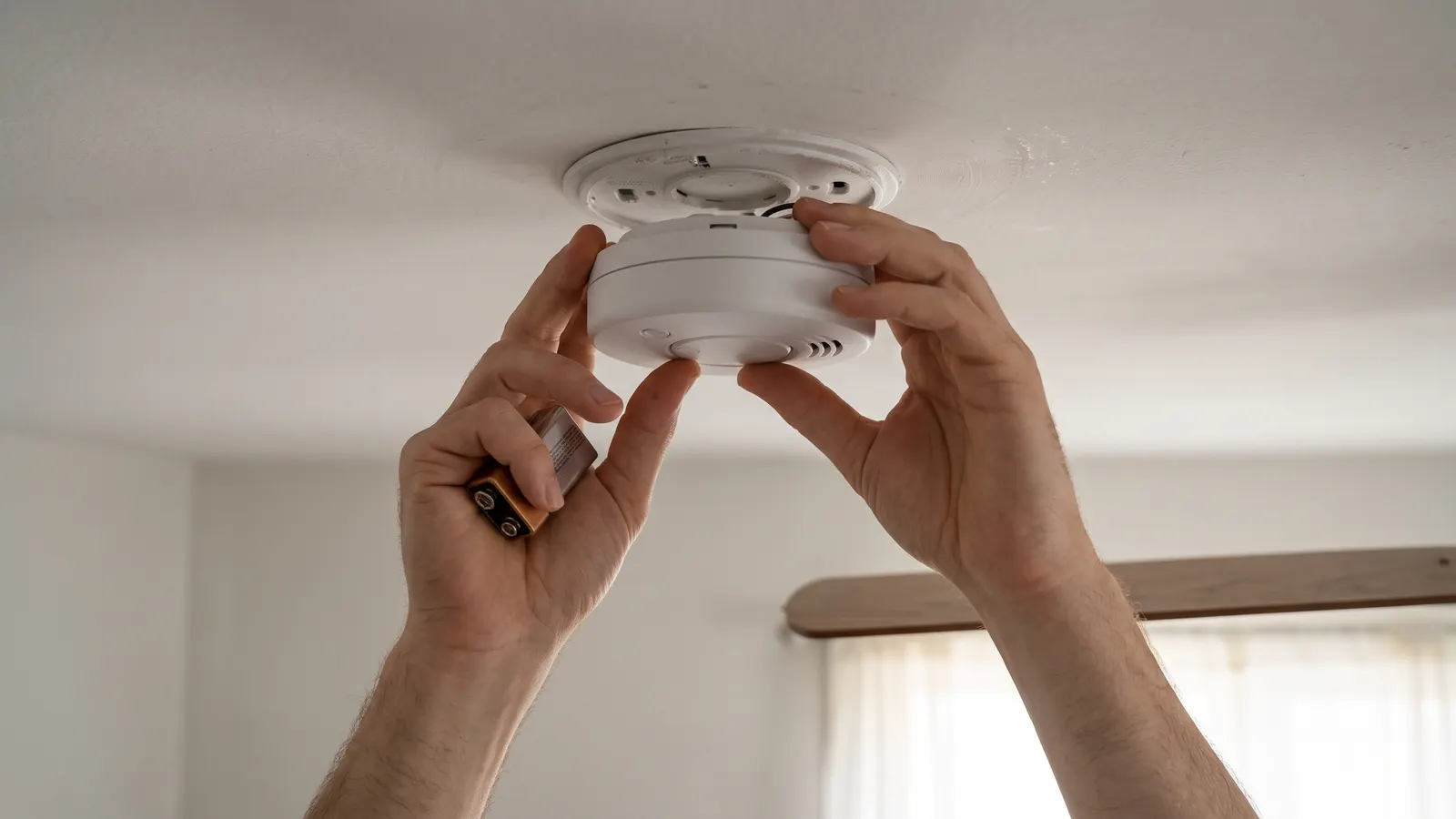
Connected smoke and carbon monoxide alarms still need the monthly test with the button, batteries on the manufacturer's schedule, and replacement on age: the sensor inside a smart alarm ages exactly like the one in a plain alarm. The app can tell you an alarm's self-test passed and its battery is low; it cannot tell you the sensor has drifted past detecting smoke, which is why the replacement date is on the label and not in the app.
The NFPA's smoke alarm page says to test all smoke alarms at least once a month by pressing the test button, that a single chirp every 30 or 60 seconds means a low battery, and to replace all smoke alarms 10 years after the manufacture date. The CDC's carbon monoxide page says to check CO detector batteries when you change the clocks each spring and fall and to replace the CO detector following the manufacturer's instructions or every 5 years.
The connected alarm's own additions are the app's status page (open it monthly, when you press the buttons, and confirm every alarm is listed and online), the firmware update the app offers, and the re-pairing that a new router or a new Wi-Fi password requires. Write each alarm's manufacture date from its label into its record, because the app reports the install date and the label reports the one that matters. Testing smoke and CO detectors covers placement, the chirp codes, and the replacement ages in full.
What does a smart thermostat need?
A smart thermostat needs its schedule reviewed at the start of each heating and cooling season, its filter reminder checked against the filter's real condition, its Wi-Fi connection kept up, its firmware updated when offered, and, on models that have one, a backup battery replaced when the app or the display asks. The wiring behind it is the part most owners never see and the part most likely to explain odd behavior.
ENERGY STAR's smart thermostat page says to keep a Wi-Fi thermostat reasonably close to the router and to make sure the thermostat is compatible with your heating and cooling system. The Building America Solution Center's guide to choosing a smart thermostat says most smart thermostats need a 24 VAC circuit with four available wires, that an inverter-driven heat pump usually runs best on the brand's own thermostat, and that if you do not feel comfortable working with electric wiring, call an electrician. A thermostat that drops offline, reboots, or loses its schedule is often one without a common wire, drawing power from the furnace control circuit; the fix is a wire or an adapter, and it is an HVAC or electrical job.
The filter reminder on most smart thermostats counts run hours or calendar days; it does not see the filter. In most houses we see, the reminder is either ignored or trusted, and both are wrong. Treat it as a prompt to pull the filter and look, which is the monthly check anyway, and reset it when you change the filter so the count means something.
What do leak sensors, locks, cameras, and garage controllers need?
Leak sensors need a live battery and a monthly touch test; smart locks need batteries, a clean keypad, a lubricated bolt, and a code list pruned of people who no longer need access; cameras and doorbells need a clean lens, tight mounting, and a subscription or storage that has not lapsed; and a garage door controller needs the same monthly 2x4 reverse test as any opener, because the app only reports whether the door is open. The physical part is still the safety device.
- Leak sensors. Touch the contacts with a wet finger during the monthly walkthrough and confirm the alert reaches your phone. Replace the battery on the manufacturer's interval, not when it dies, because it dies silently.
- Smart locks. Change the battery when the app first warns, keep a physical key somewhere outside the house, and delete codes for the contractor, the sitter, and the previous owner.
- Cameras and doorbells. Wipe the lens, check the wireless models' batteries, and confirm who has shared access. A camera whose storage plan lapsed records nothing.
- Garage door controllers. The reverse test and the photo-eye alignment are unchanged; the safety reverse guide applies to a connected opener exactly as it does to a plain one.
What should you do at resale or when a device changes hands?
When a device changes hands, factory reset it, remove it from your account, remove any shared users, and hand the new owner the model number and the manual; when you move into a house with smart devices already installed, do the reverse: reset every one, claim it under your own account, and change every code and password. A lock still paired to a previous owner's phone, a camera still streaming to someone else's account, and a thermostat with a stranger's schedule are all common in resale homes.
Twice a year, for every connected device
- Update the firmware and the app
- Confirm it is online and listed in the app
- Check or replace the battery
- Review who has access: shared users, codes, subscriptions
- Note the manufacture date and the replacement age on its record
How do you put smart devices on the schedule?
Put smart devices on the schedule the same way as anything else in the house: record each one with its model, install date, and warranty expiry, add the monthly items (the alarm test, the leak sensor touch, the battery glance) to the monthly list, and set a twice-yearly task for the update and access pass at the clock changes, which is also when the CDC says to check the CO detector batteries. The device's own notifications are a second channel, not the schedule.
In Property Station a device goes under Appliances or Room Inventory with its Warranty Expiry, so the Warranties list shows it alongside the water heater, and the twice-yearly pass is one recurring task with a Frequency of 6 months. The reminders come from the schedule you set, not from the devices, and the notification settings let you choose which alerts reach you. The monthly checklist is where the connected alarm test and the sensor touch belong, and a calendar that sticks is how the twice-yearly pass survives the year.
Common questions
Does a smart smoke alarm still need the monthly test?
Yes. The NFPA's guidance to test every smoke alarm at least once a month by pressing the test button does not change because the alarm has Wi-Fi, and the alarm still has to be replaced 10 years after its manufacture date. The app tells you the alarm thinks it is fine; the button tells you it can sound.
Do I need to replace a smart thermostat's batteries?
Depends on the model. Some run entirely on the furnace's 24-volt wiring and have no battery to replace; some have a backup battery; some run on batteries alone. The manual says which, and a thermostat that keeps dropping off Wi-Fi or losing its schedule is often one with a weak battery or no common wire.
What happens to smart devices when I sell the house?
Factory reset each one, remove it from your accounts, and give the buyer the list of devices with their model numbers and manuals. A lock still paired to your phone, or a camera still streaming to your account, is a problem for both of you. Do the same when a device is replaced or thrown away.
Are leak sensors worth having?
A sensor under the water heater, behind the washer, and under the kitchen sink is cheap insurance for the three commonest leak sources, and it works while you are away. It only works with a live battery and a working connection, which is why the monthly check touches it. It does not replace the monthly look under the sink; it extends it to the days you are not home.
What should you do next?
Open the app for each device and write down its model and manufacture date, then press the test button on every alarm and touch every leak sensor. That is the first monthly pass. The twice-yearly update and access pass goes on the calendar at the next clock change.