On this page
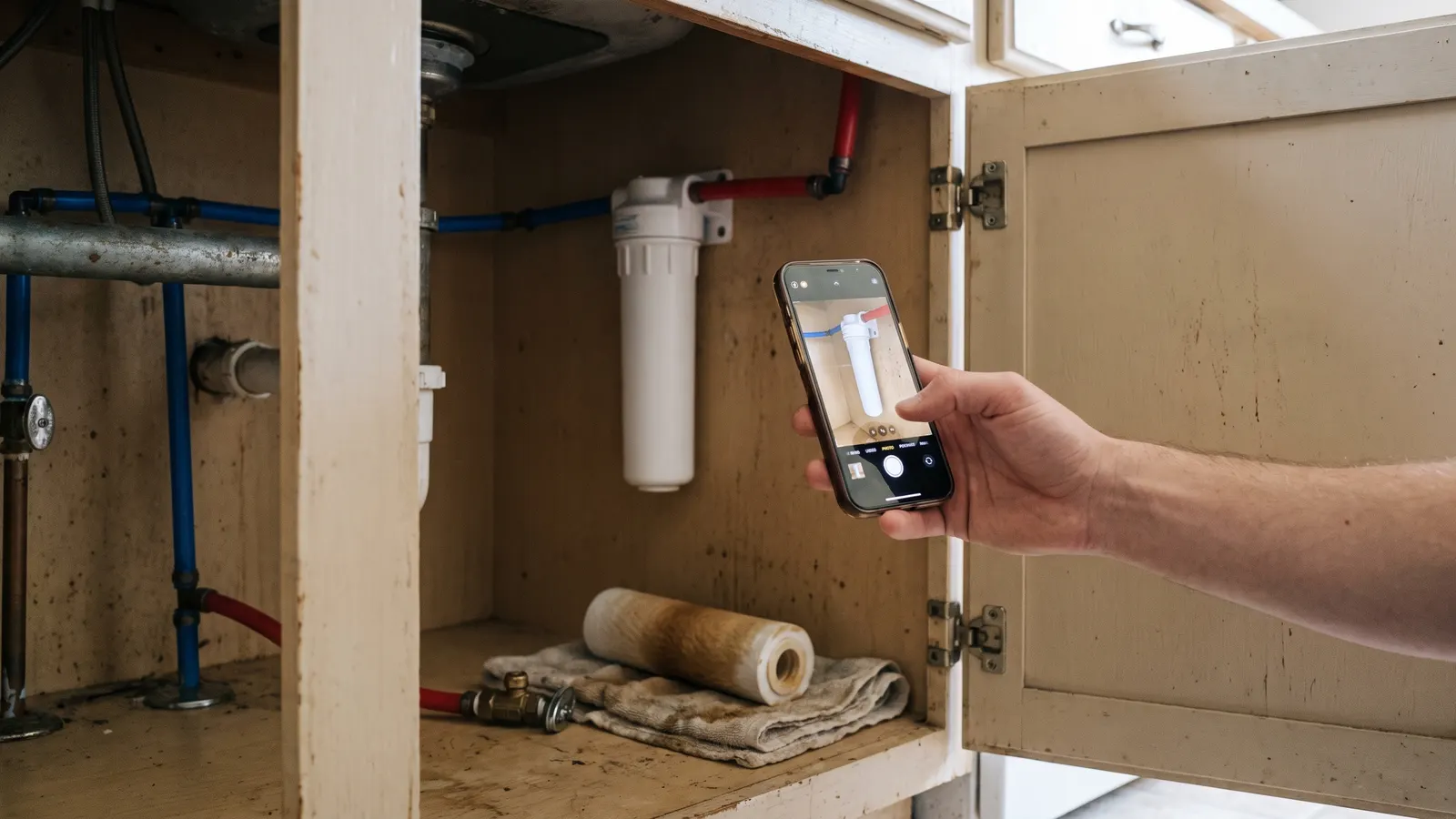
A photo taken on the day of a maintenance task keeps three things memory drops within weeks: the date, the state of the part, and the numbers on the label. Photograph the filter as it comes out, the water heater's drain water, the label on the unit, the reading on the gauge, and the before and after of anything you fix, then file each photo with the task the same day. When a claim, a technician, or a buyer asks when and what, the photo answers; memory says "sometime last year".
This is not a case for more photos. It is a case for the right five, taken on purpose and filed where the task lives.
What does a photo hold that memory does not?
A photo holds a date, a condition, and a set of details you did not know you would need. Memory holds a story, and stories get shorter and rounder every time they are told. The photo of the furnace filter shows how dirty it was and what size it is; memory says "it was pretty bad, I think". The photo of the label shows the serial; memory does not hold serials at all.
What memory keeps
- "Sometime last spring"
- "It was pretty dirty"
- "A twenty-by-something filter"
- "There might have been a small stain"
- "I think the plumber replaced a valve"
What a dated photo keeps
- The date and time, in the file's metadata
- The exact color and load of the filter, for comparison next time
- The size printed on the frame, and the MERV rating
- The stain's size and edge, to compare against next year's photo
- The old part next to the new one, with the part number readable
The comparison is the part that matters most over years. A single photo of a hairline crack in the foundation is a curiosity. The same crack photographed each spring, with a coin for scale, is a record of whether it is moving, which is the question a structural engineer or a builder's warranty reviewer will ask first.
What should you photograph during maintenance?
Photograph the state of the part before you touch it, the label on the equipment, any reading or measurement, and the result after the task, plus the receipt for anything you bought. Those four or five frames cover nearly every task in the house. The list below is what earns its place in the record, task by task.
The maintenance photos worth taking
- HVAC filter: the old filter as it comes out, and the size and rating printed on the frame
- Water heater: the drain water at the start of a flush and when it runs clear, and the label with model, serial, and date
- Gutters and downspouts: the gutter before clearing, and where each downspout discharges after
- Sump pump: the pit at rest, and the float lifted with the pump running
- Smoke and CO alarms: the manufacture date printed on the back of each unit
- Roof and attic: the flashing and the valleys from the ground or a ladder, and the insulation and any staining in the attic
- Foundation and grading: any crack with a coin beside it, and the soil slope at each corner after rain
- Appliances: the label on each one once, and the coils or filter before and after cleaning
- Any leak, stain, or crack: the first time you see it, with something for scale, and again after the fix
- Every receipt for parts and every invoice for a visit
The label photos only need taking once, and they are the ones that answer the most questions. How to read equipment labels covers where each label is and which numbers matter; a clear photo of each one is faster than copying the numbers out and does not introduce typos.
How do you take a photo that is useful later?
Take a wide shot that shows where the thing is, then a close shot that shows the detail, and make sure the detail is readable: the label square to the camera and in focus, the reading on the gauge legible, something for scale beside a crack or stain. Then name or file the photo the same day with the task, because a photo with no home is a photo you will not find.
A few habits make the photos hold up. Keep the phone's date and time set automatically, so the metadata is right. Shoot labels with the flash off and the phone parallel to the label to avoid glare. For before-and-after pairs, stand in the same spot both times. For anything you may need to compare next year, note where you stood and at what time of day, because shadows change what a stain looks like.
Where should the photos live?
The photos live with the task or the equipment they describe, not in the camera roll. A filter photo goes on the filter task's entry for that date; a label photo goes on the equipment's page; a receipt goes with the purchase; a crack photo goes on a note about the crack that carries every later photo of it. The test is whether someone who has never seen your phone could find the photo from the house's record.
In Property Station a photo attaches as a document on the Documents page (JPG, PNG, and WEBP are accepted, along with PDF and video), with the equipment or task named in the title and the date in Notes. A receipt goes in through Scan Receipt, which reads the image and saves it as a document. The Document Vault's type filters then group the photos by what they are. A photo of a completed task belongs in that task's completion notes, so the history and the picture stay together.
When do the photos pay off?
The photos pay off at the four moments the whole record exists for: a warranty claim, where the date a drip started is the fact in dispute; a repair, where the technician wants to see the old part and the label before the visit; an insurance loss, where the photo of the room before the loss is the inventory; and a sale, where a buyer believes a dated photo of the roof and discounts a sentence about it.
For an insurance loss the photos taken before anything happened are the ones that matter most, and documenting damage for a claim starts from whatever room photos already exist. For a new build the same logic applies before there is a house: what to photograph during construction, especially before the drywall goes up, is the only record of where the pipes and wires run. And every service visit gets a photo of the old part and the invoice, which is half of recording the visit done before the truck leaves.
Common questions
Does the phone's date stamp count as proof?
It is a strong start. The photo's metadata carries the date and time the phone believed, and a photo of a hand-written date card or the day's newspaper backs it up. Filing the photo against a dated task entry on the same day is the third layer, and the three together are hard to argue with.
How many photos is too many?
One wide shot and one detail per state is enough for most tasks: before and after, or the label and the reading. The problem is never too many photos, it is photos that stay in the camera roll with no name and no task. Fewer, filed, beats hundreds, loose.
Should I photograph things that look fine?
Yes, once a year. A photo of a dry ceiling, an unstained foundation wall, or a clean drip pan is the baseline that turns a later photo into evidence of when a problem started. The "nothing wrong" photo is the one that ends up mattering in a warranty conversation.
What should you do next?
Walk the house once with the phone and take the label photos: furnace, air handler, outdoor unit, water heater, panel, each appliance. File them on the equipment pages today. From then on, the habit is one wide and one close per task, with the date card in the first frame, filed before the tools are put away.